macOS 15 or later, on an Apple-silicon Mac · signed and notarised by Apple, so it opens without a warning
Accord Suite in thirty seconds
Accord Suite in thirty seconds. The launch film.Accord Suite in thirty seconds. The launch film.
The eight pages
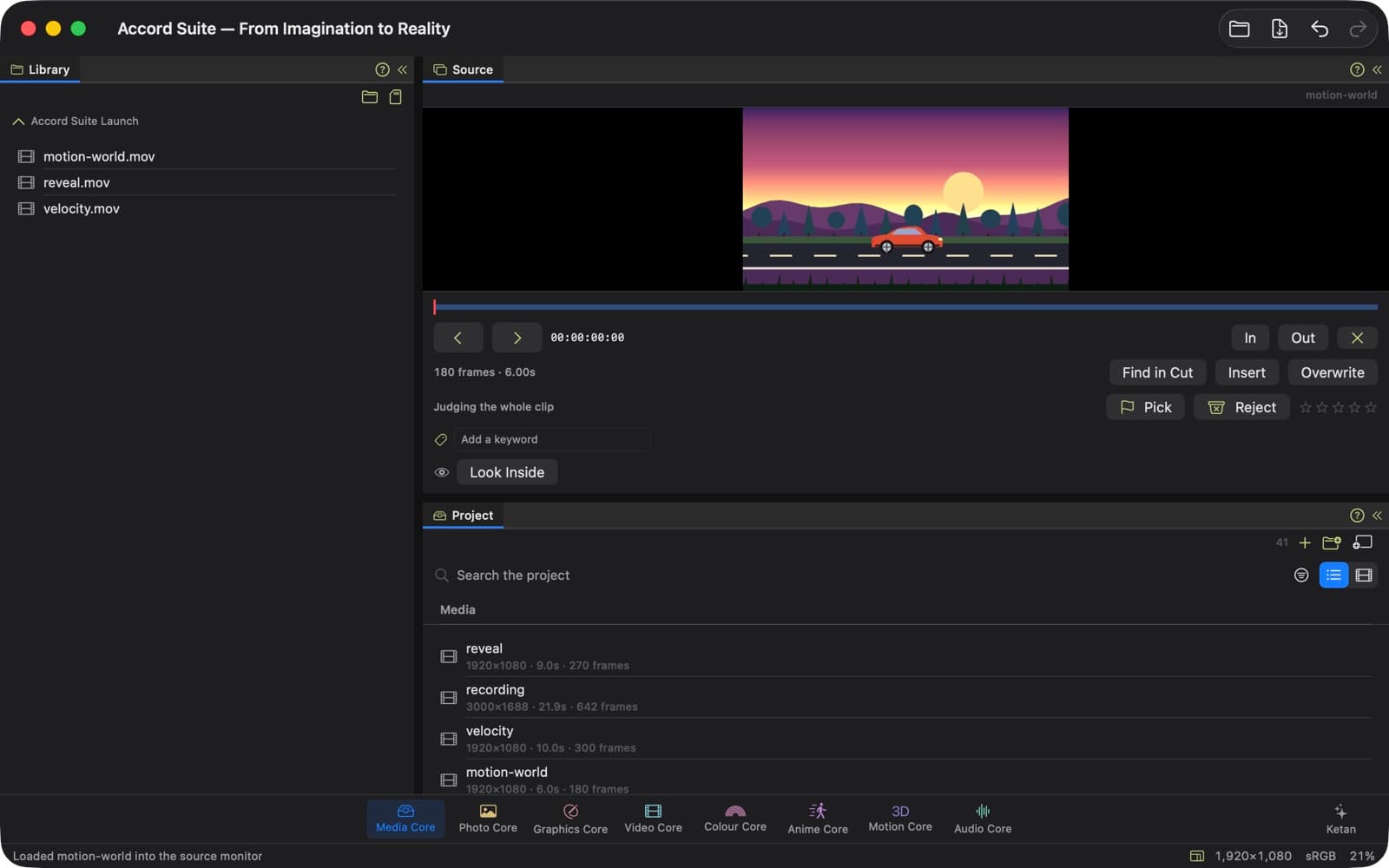
The Library open on a folder of footage, a clip in the Source monitor ready for its in and out points, ratings and keywords, and the project's media below.
Media Core
Your files, the source monitor and the media pool — for bringing footage in.
Media Core is where a project begins: it gathers the footage, photographs and sound you are going to use in one place, ready for any page. The Library browses the folders on your Mac, and the Source monitor plays a clip on its own, so you can mark the part you want before it goes into the cut. Pick the good takes and reject the rest, rate clips with stars, describe them with keywords, and keep a search as a bin that fills itself. If footage has moved since the project was last opened, Accord Suite can reconnect it; heavy footage can be edited through smaller proxies, and a separate recorder's sound can be synced to the camera's picture. It can also copy a camera card and check every copy before the footage is brought in.
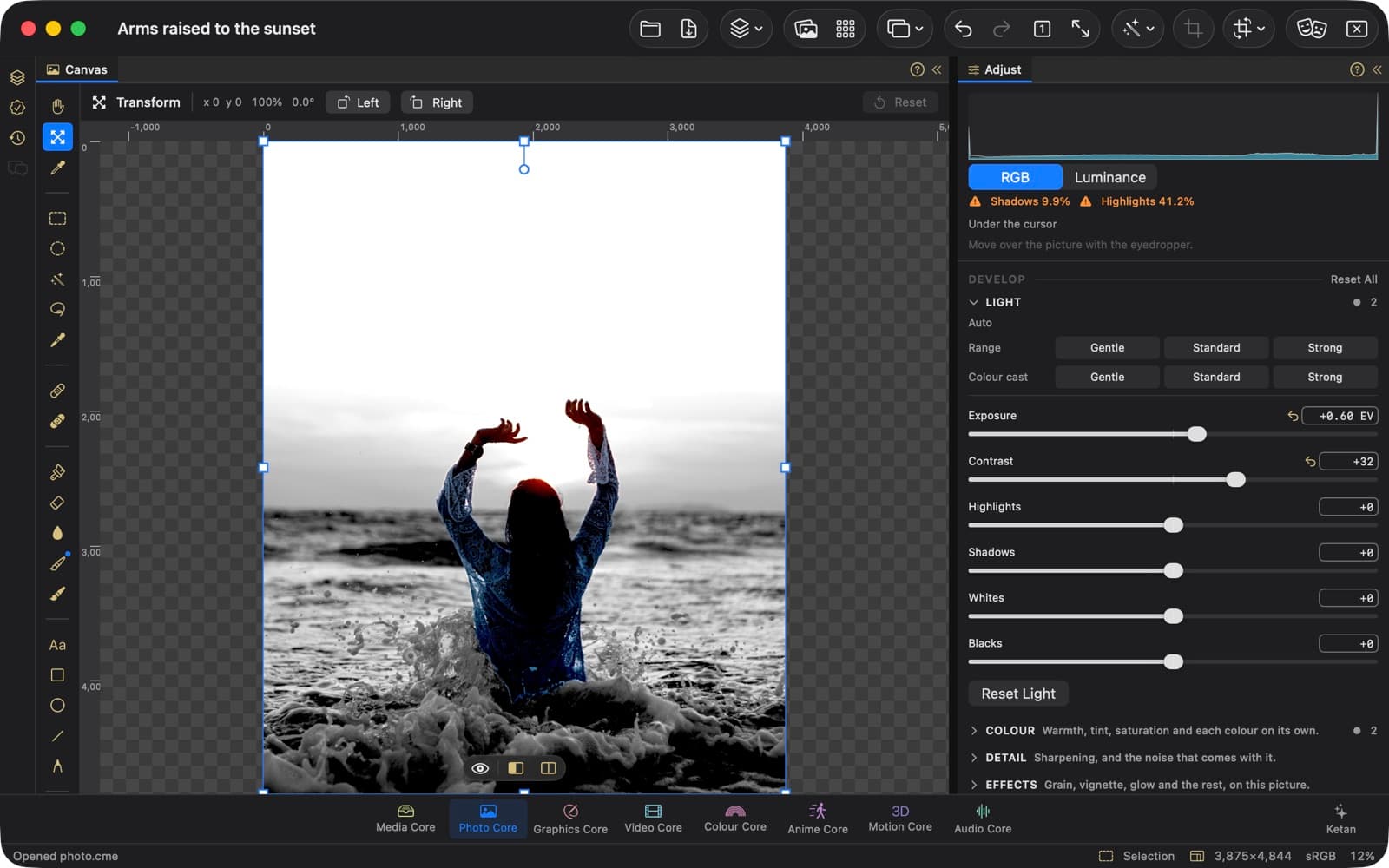
Developing a photograph: light and colour, with the Develop sliders.
Photo Core
Layers, the Critic and History — for working on a picture.
Photo Core is for working on a photograph, in layers, with every step kept in History. Develop adjusts light and colour and develops RAW files, while adjustment layers and masks keep each change separate from the picture beneath it. Select the subject or the sky in one step, select everything of one colour, or pick out hair, teeth or glasses in a portrait, then change only that part. Repair blemishes, paint on the picture, push and reshape part of it, crop to a shape or around the subject, and make one photograph from several. Save a look to use on other photographs, see how a photograph will print, and export it, as a DNG too.
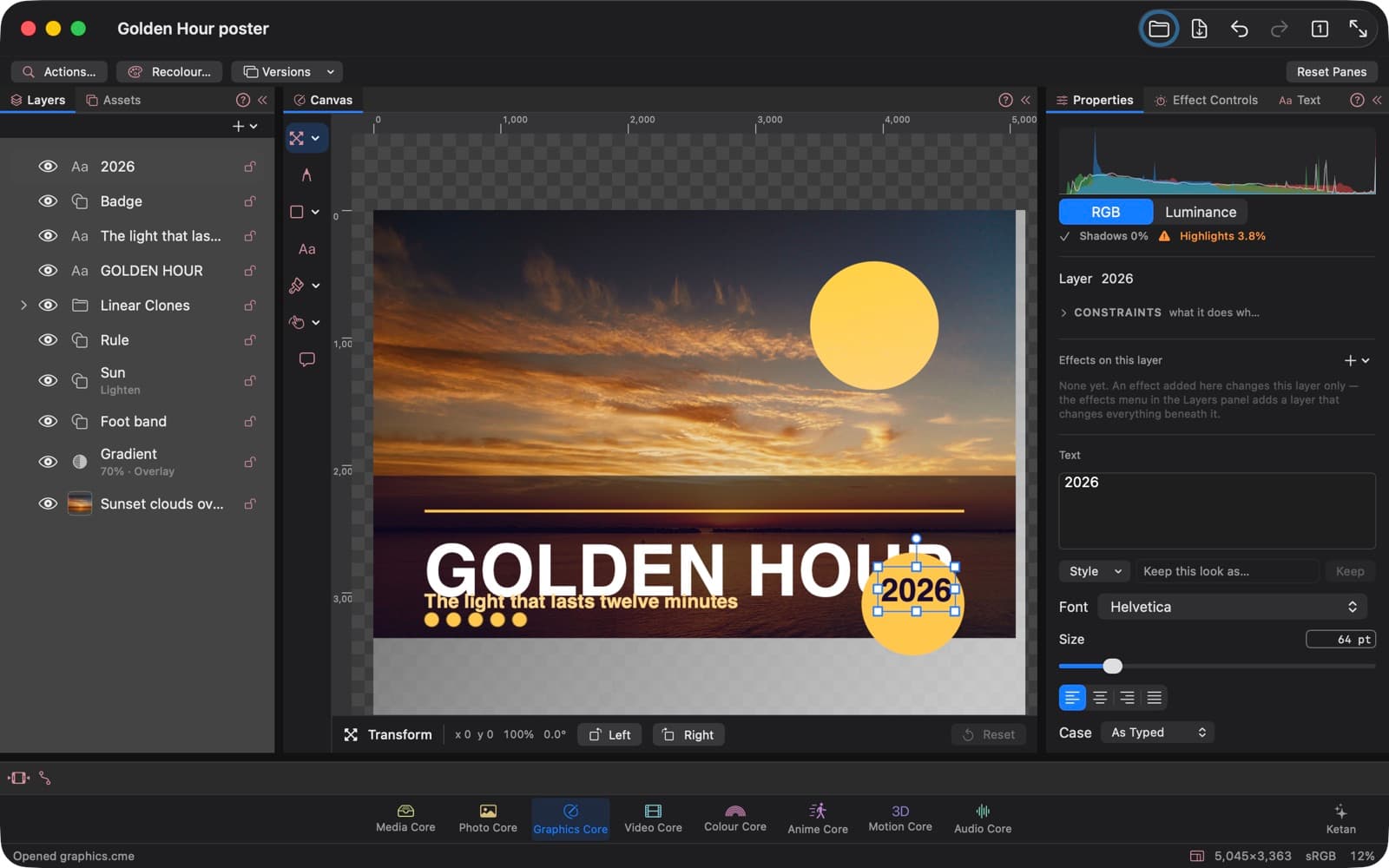
Layers, the canvas, properties and time — for drawing a graphic and making it move.
Graphics Core is a canvas for design: posters, logos, icons and anything else you draw. Draw shapes and lines, join, cut or overlap them, round their corners, and give any layer a shadow, a stroke or an overlay. Type is set with its size, spacing and alignment, along a path or flowing through linked boxes, in the fonts that come with the app. Make a symbol once and place it again and again, with variants to switch between, and let a group lay out its contents in a row or a column. When the design is finished, adapt it to other sizes and export it for the web, as a logo or an icon, or as a PDF. A graphic's layers can be animated here too.
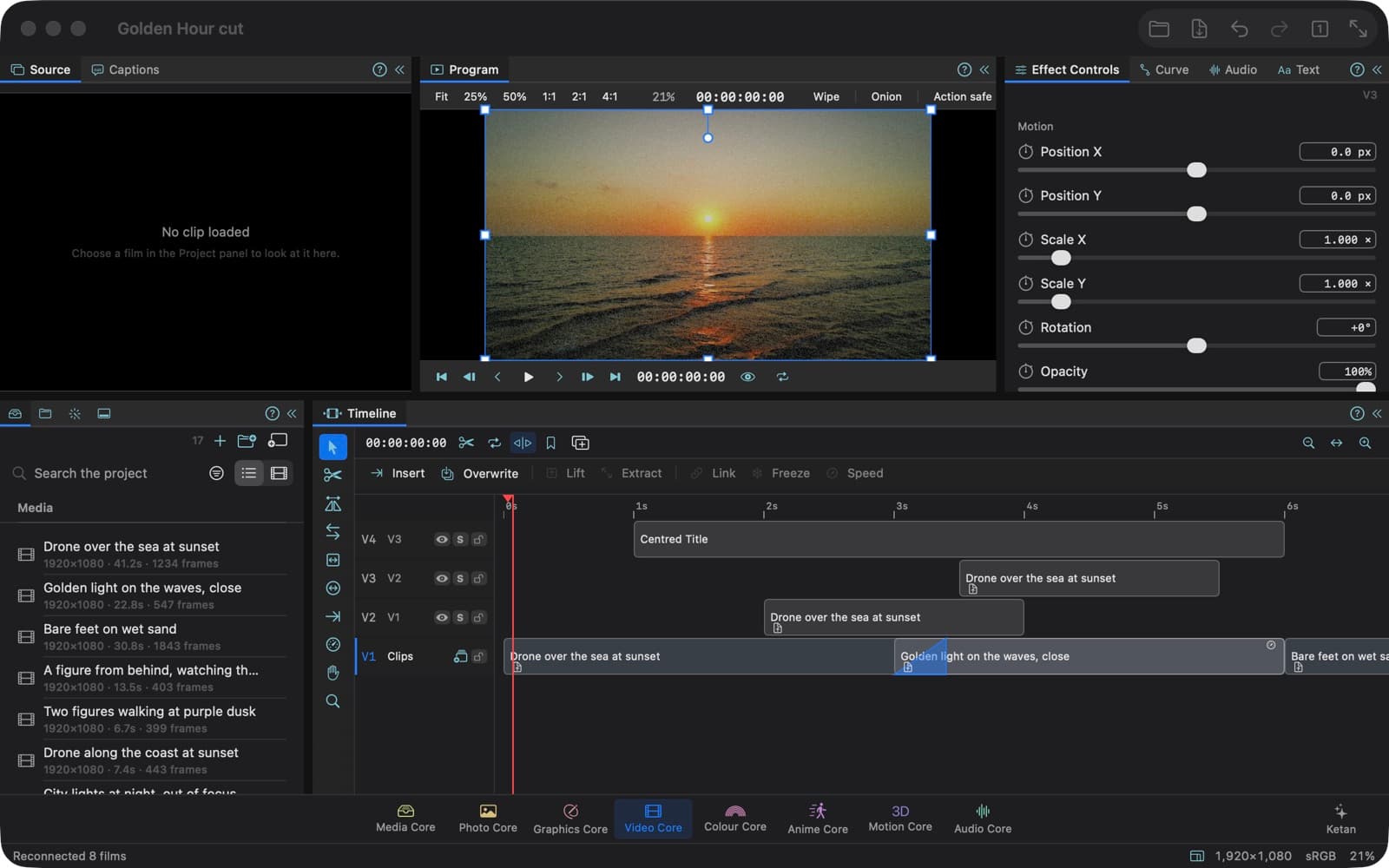
A cut on four tracks of shots, a dissolve and a title, with its first frame in the Program monitor.
Video Core
Project, monitors, timeline and effects — for cutting film.
Video Core is for cutting film, with a project panel, Source and Program monitors, a timeline and effect controls. Bring clips in, insert or overwrite them from the Source monitor, cut at the playhead, trim either end, and add transitions between shots. Put titles and lower thirds over the picture, play a clip faster, slower or backwards, freeze a frame, or smooth slow motion with optical flow. Cut between cameras, cut to the beat of the music, and transcribe, correct and export captions. A cut can come in from another program, and several films can be exported in one go.
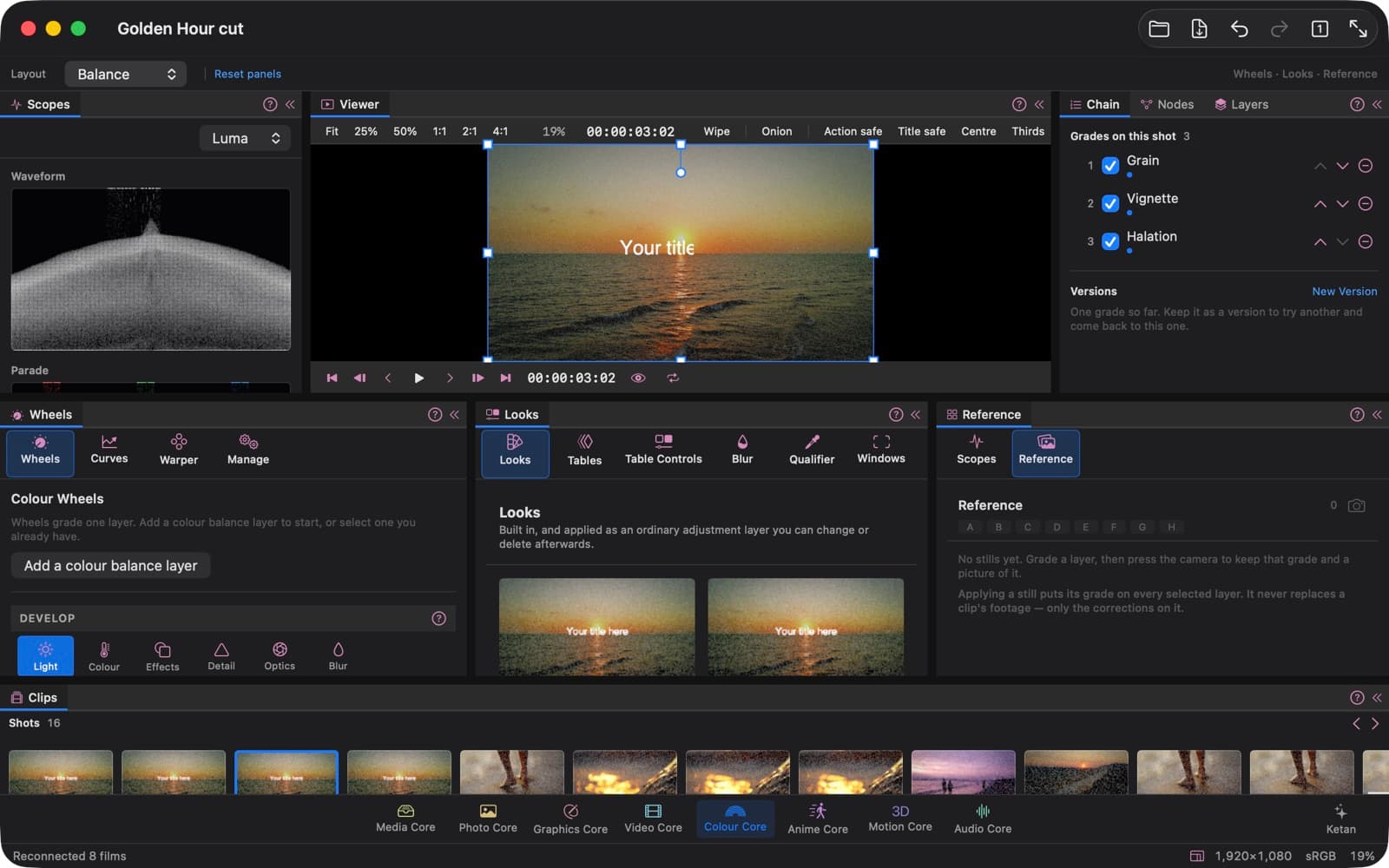
A shot graded with grain, vignette and halation, beside its waveform and the strip of shots.
Colour Core
The viewer, scopes, colour wheels and curves — for grading a picture or a film.
Colour Core is for grading, and it grades a photograph and a film through the same controls. The picture sits large in the viewer beside a waveform, a parade and a vectorscope, and the tools sit in three panels, with wheels, curves, a qualifier, windows, a tracker, looks and lookup tables among them. Balance a shot with the colour wheels, shape its tones with curves, or key one colour and grade only that. A window can follow a subject as it moves, a look can come from a .cube file, and a grade can be kept as a still to compare against and used again on other shots. Keep versions of a grade to switch between, and when a picture needs more, build it as a node graph.
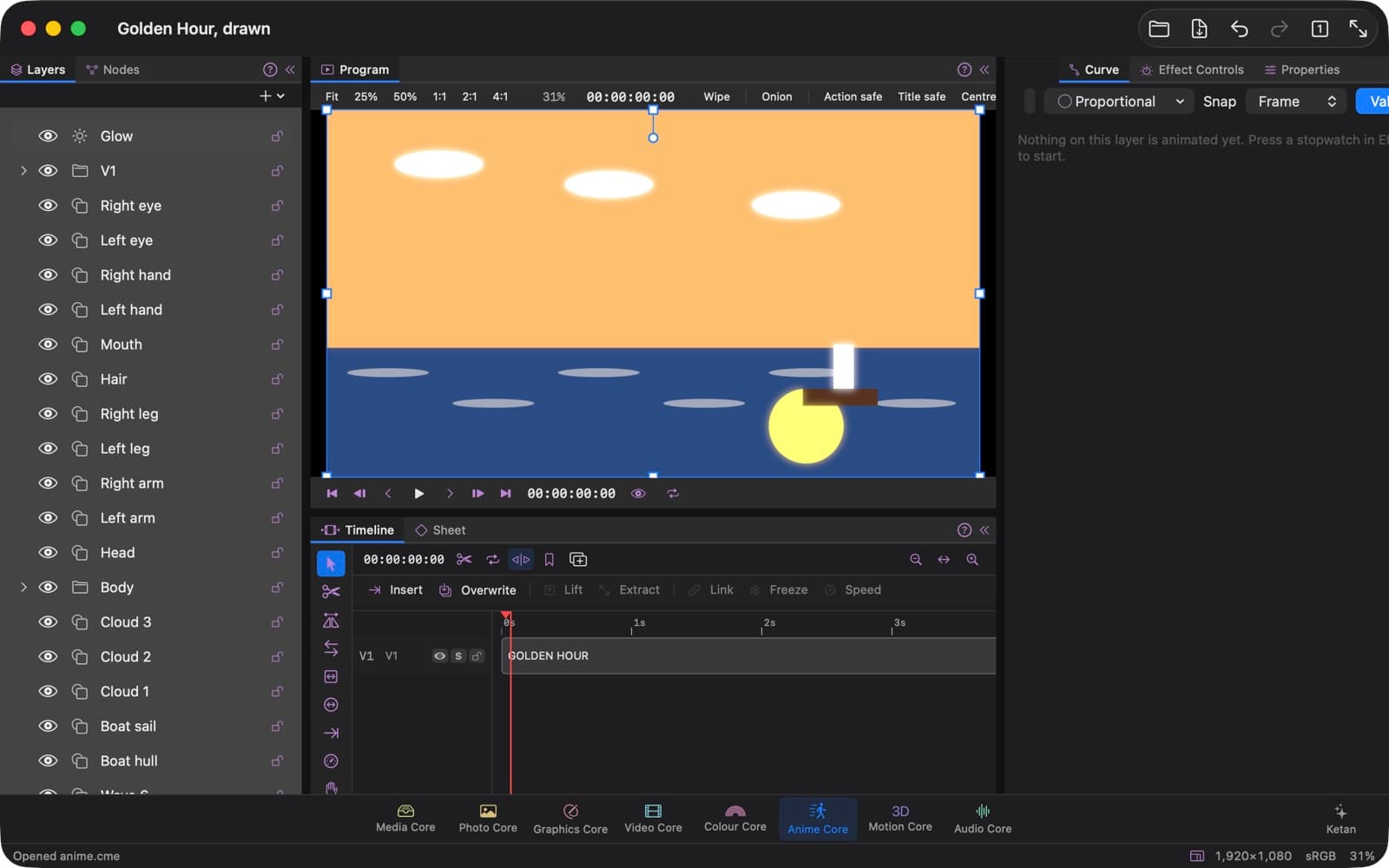
Layers, the timeline, curves and effect controls — for making things move.
Anime Core is for making things move, from a title that flies in to a drawn character. Animate a layer's properties with keyframes, shape the motion with curves and their handles, and let a move lag, overshoot and settle. Draw frame by frame and space the inbetweens with a timing chart, or rig a drawing with pins or bones so it bends as it moves. Send out particles, clone shapes in a line, a ring or a grid, and track footage so graphics stay on what moves. A node editor puts effects on a picture, with masks, keying and curves as nodes.
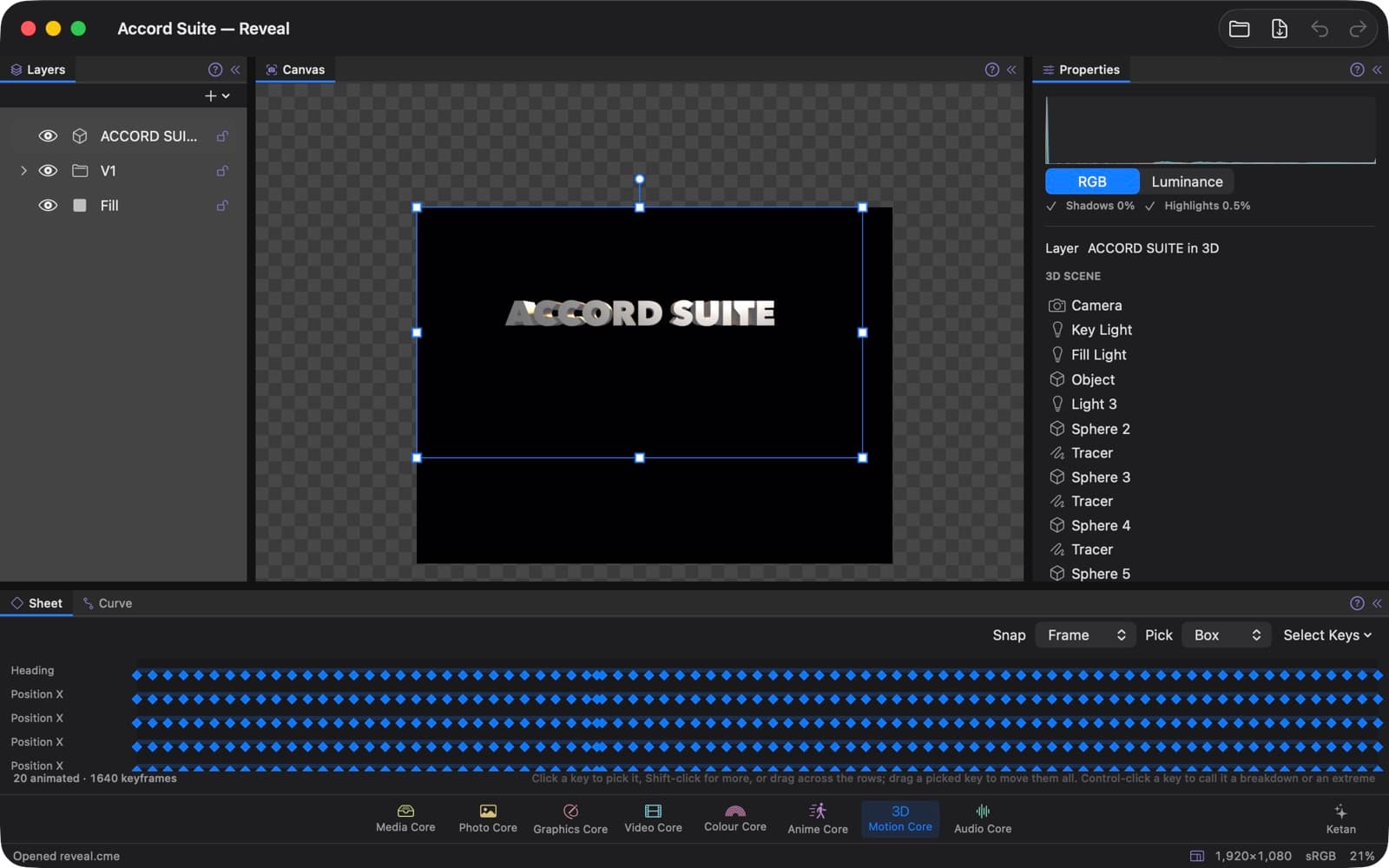
A 3D title in its scene: the camera, lights and objects in Properties, and the keys of twenty animated properties on the Sheet.
Motion Core
Layers, the scene, its properties and its keys — for 3D.
Motion Core is the 3D page. Build a scene with a camera and lights, place objects in it, and animate it with keys on the Sheet. Pose a mannequin by hand, start it from a ready pose and mirror it, or pose it from a photograph. Raise a flat picture into a relief, and leave a trail behind a moving object. It can also show a Gaussian splat capture, and make a 3D object from a set of photographs.
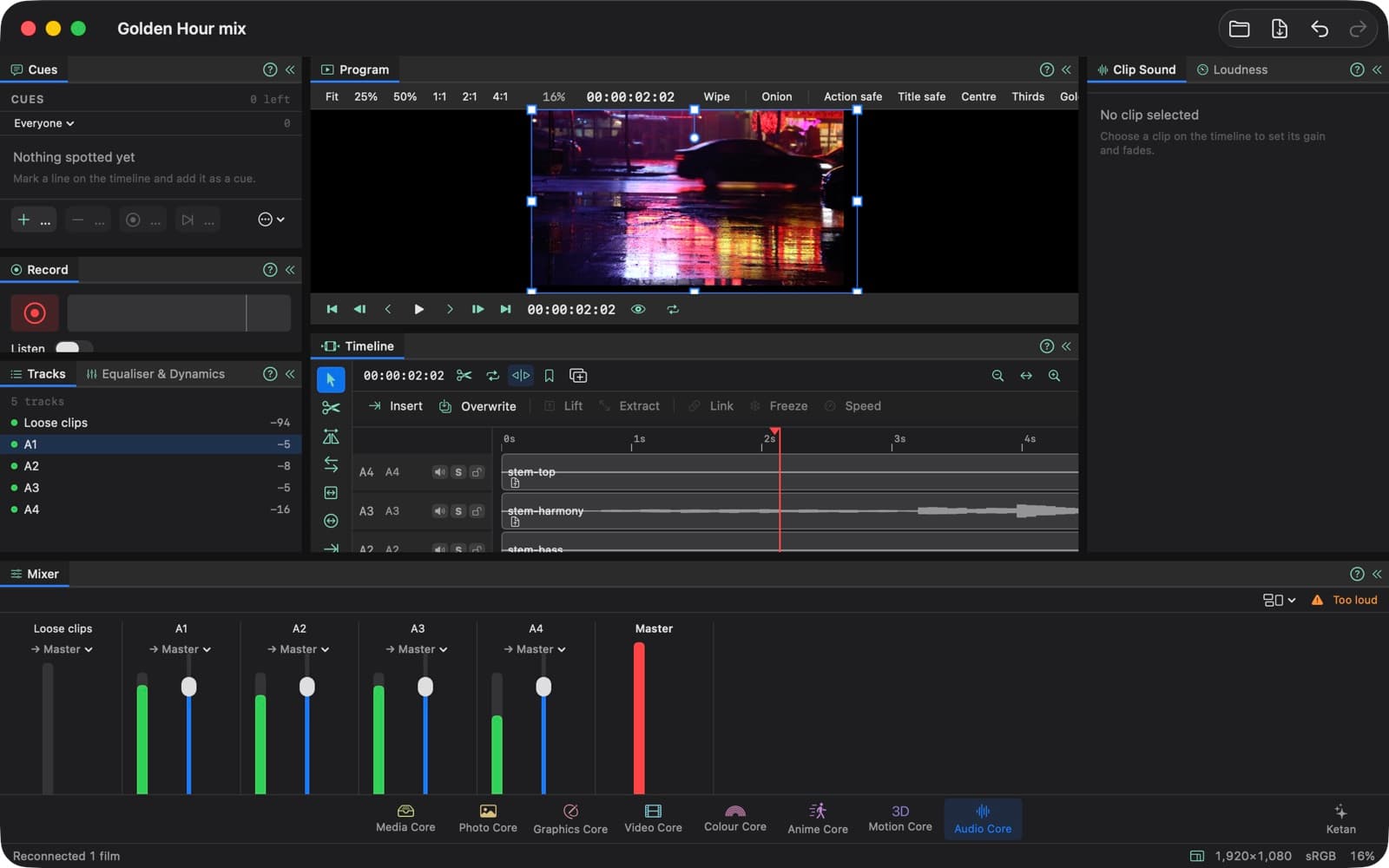
Four stems in the mixer, with their levels and the timeline.
Audio Core
The timeline, the mixer and a clip's own gain and fades — for the sound.
Audio Core is for a film's sound: its timeline, the mixer, and each clip's own loudness and fades. Set each track's level and pan, silence a track or hear it alone, and send tracks to buses for dialogue, music and effects. Shape a track with EQ and dynamics, add Audio Units, and bring the music down when someone speaks. Ride a track's level, pan and mute through the film, clean up a voice, and take a room's hum and hiss out of a clip. When the mix is done, deliver it in 5.1 or 7.1 surround, or as separate dialogue, music and effects files.
Filmed in the app. The photographs and films edited in it are from Pexels.Filmed in the app. The photographs and films edited in it are from Pexels.
Free, and Pro
Free
Every tool on every page. Films export up to 1080p and pictures up to HD size (a long side of 1920 pixels). SVG, PDF, web pages and sound export free, always.
Accord Suite Pro
Films at 4K and 8K, and pictures at full size. Bought once, and unlocked with a licence code you paste into Settings ▸ Licence; it is checked on your Mac, with nothing sent.